Show your AWIN and CJ offers to Snap customers
Link your AWIN or CJ advertiser ID to your Snap account and your promotions appear automatically on the Snap Finance offers page.
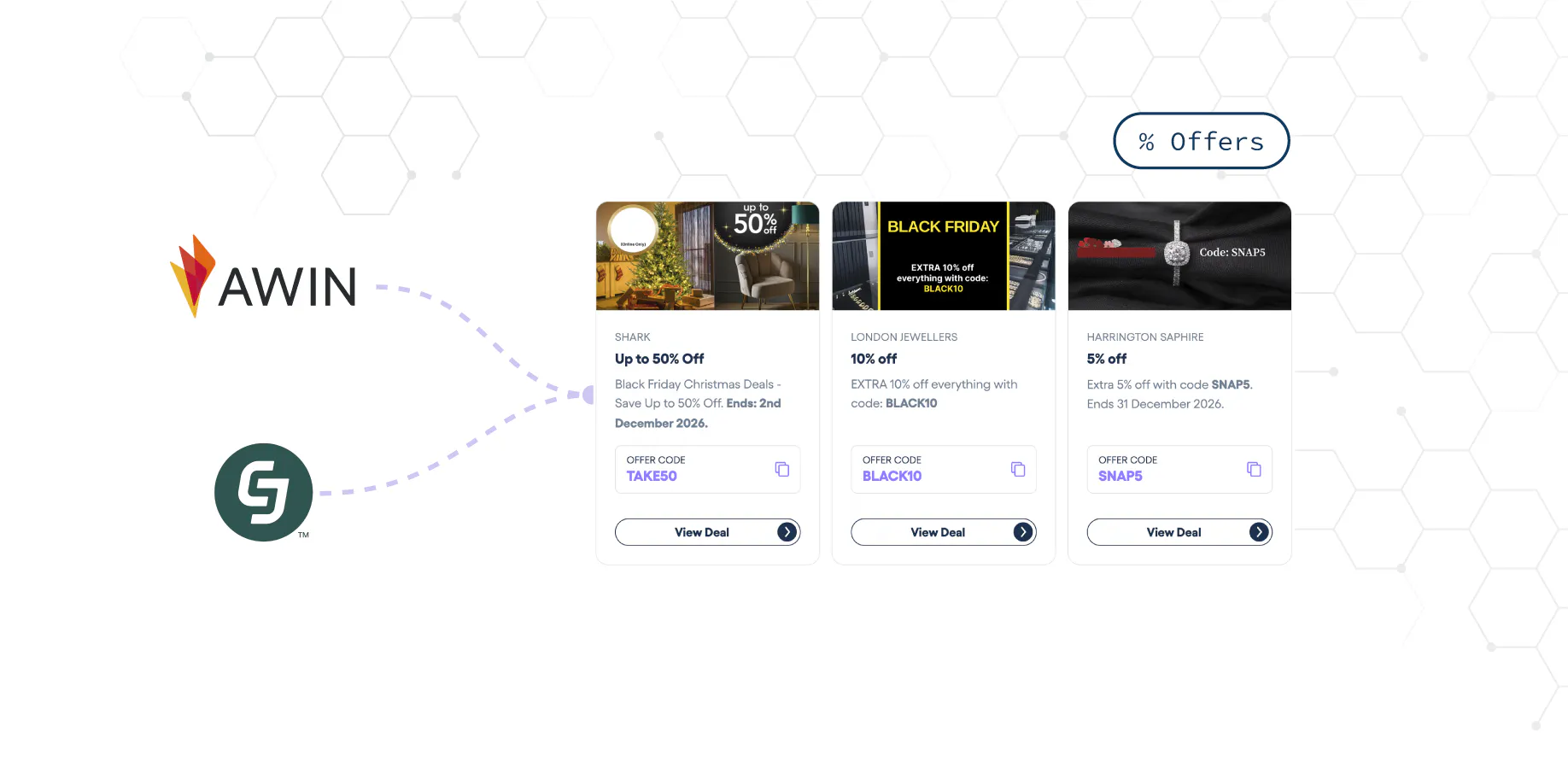
The Snap Finance offers page is where customers find deals from Snap retailers before they shop. Until now, getting your offers there meant sending them to our team and waiting for them to be added.
If you already run promotions through AWIN or CJ, you no longer need to. Link your advertiser ID and your offers are listed for you.
How it works
Share your advertiser ID
Send your AWIN advertiser ID, your CJ advertiser ID or both to your account manager, and we’ll add them to your Snap account.
Your offers appear automatically
Your active UK promotions and voucher codes are listed on the offers page under your industry, with their expiry dates. When a promotion ends or you add a new one, the offers page follows.
Tracked through your network
The Shop Now button uses your network’s tracking link, so sales are attributed just as they are for any other publisher.
Get started
- Make sure Snap Finance is an approved publisher on your AWIN or CJ programme.
- Send your advertiser ID to your account manager.
- Publish your promotions on the network as usual.